Commissions
This page follows a carrier commission statement through the Desk: import, matching, independent approval, and the reports used for control. The Core records commission facts first. It does not submit invoices, execute payments, or process client money automatically.
Who does this
The roles below are the ones the code and the DocType permissions actually check. Role names come from the roles baseline contract; see the role matrix and Roles and access for the full list.
| Task | Role that is checked |
|---|---|
| Open the Import Commission Statement page | Insurance Broker Administrator or Insurance Broker Reconciler (page roles) |
| Import a statement and create reconciliations (server check) | Insurance Broker Administrator or Insurance Broker Reconciler |
| Approve a reconciliation | Insurance Broker Accounting Approver |
| Read the control reports | Insurance Broker Administrator, Insurance Broker Reconciler, Insurance Broker Accounting Approver, Insurance Broker Compliance (the Reconciliation report excludes the approver role) |
Insurance Broker Reconciler and Insurance Broker Accounting Approver are preserved legacy role names. The baseline also defines Insurance Broker Commission Reconciler and Insurance Broker Commission Approver as the dedicated maker and checker roles, and the commission DocTypes grant them form permissions. The Desk import and approve actions described here, however, check the legacy names listed in the table, so assign those to the maker and the checker.
Before you start
- A capability admission for the company must exist with capability
commission, statusvalidated, submitted, and not revoked. Without it, the import and approve actions stop withIBC-COMMAND-CAPABILITY-001. - The carrier must exist as an ERPNext Supplier and the currency as an ERPNext Currency; the import dialog links to both.
- The maker and the approver must be two different users.
Steps: import a statement
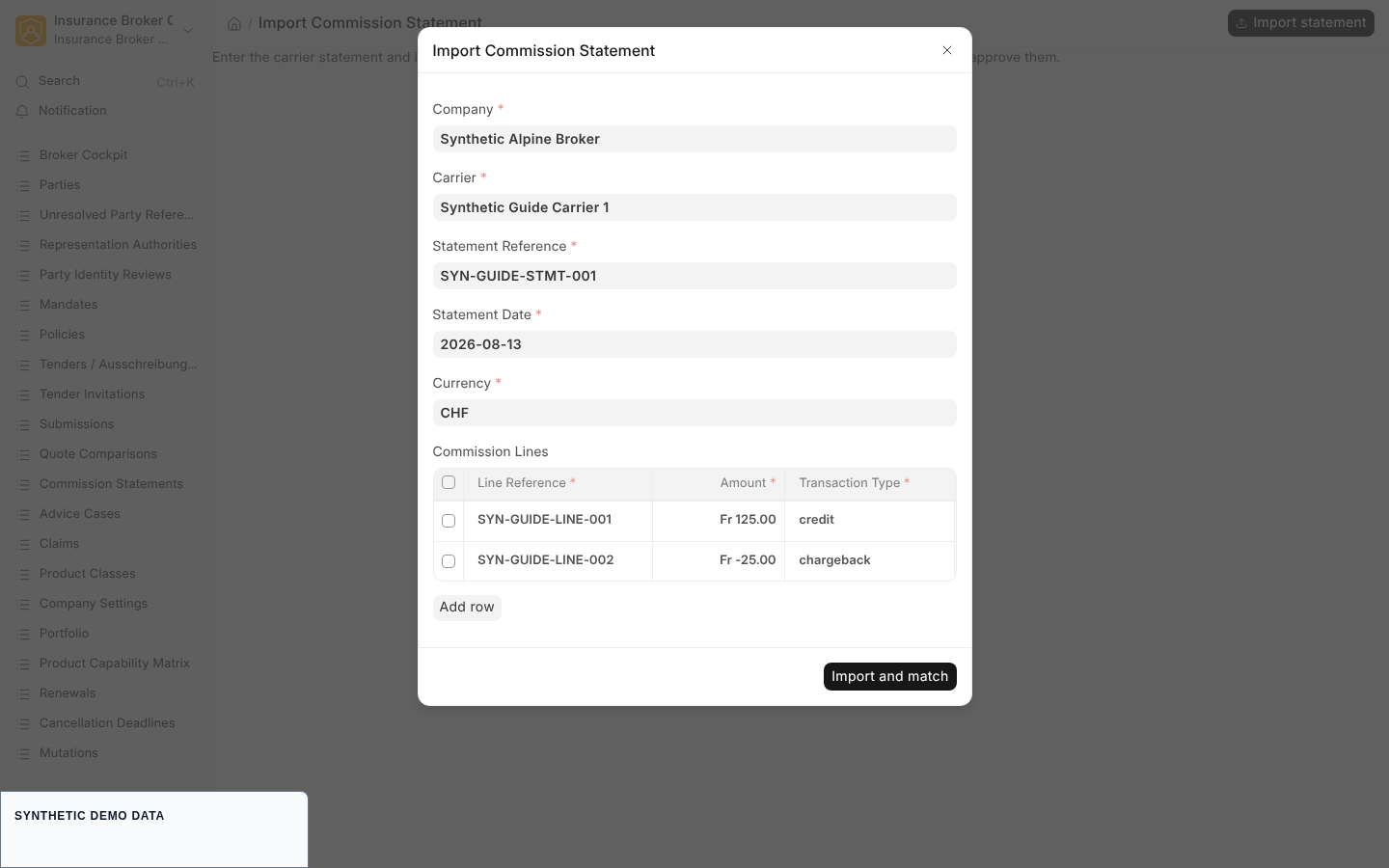
- Open the Import Commission Statement page. It opens a dialog titled Import Commission Statement; the Import statement button reopens it.
- Fill the header fields, all required:
| Field | Type | Meaning |
|---|---|---|
| Company | Link to Company | Company the statement belongs to |
| Carrier | Link to Supplier | Carrier that issued the statement |
| Statement Reference | Data | Reference printed on the statement |
| Statement Date | Date | Defaults to today |
| Currency | Link to Currency | Defaults to CHF |
- Add rows to Commission Lines. Every column is required:
| Column | Type | Values or meaning |
|---|---|---|
| Line Reference | Data | Must be unique within the statement |
| Compensation Type | Select | initial_commission, renewal_commission, service_commission, bonus, fee, other (default renewal_commission) |
| Amount | Currency | Negative amounts are possible for chargebacks |
| Booking Date | Date | Defaults to today |
| Transaction Type | Select | credit, debit, chargeback, correction, reserve_withheld, reserve_release (default credit) |
| Source Key | Data | Identifier of the line in the carrier source |
- Click Import and match. If the table is empty, the page shows "Add at least one commission line."
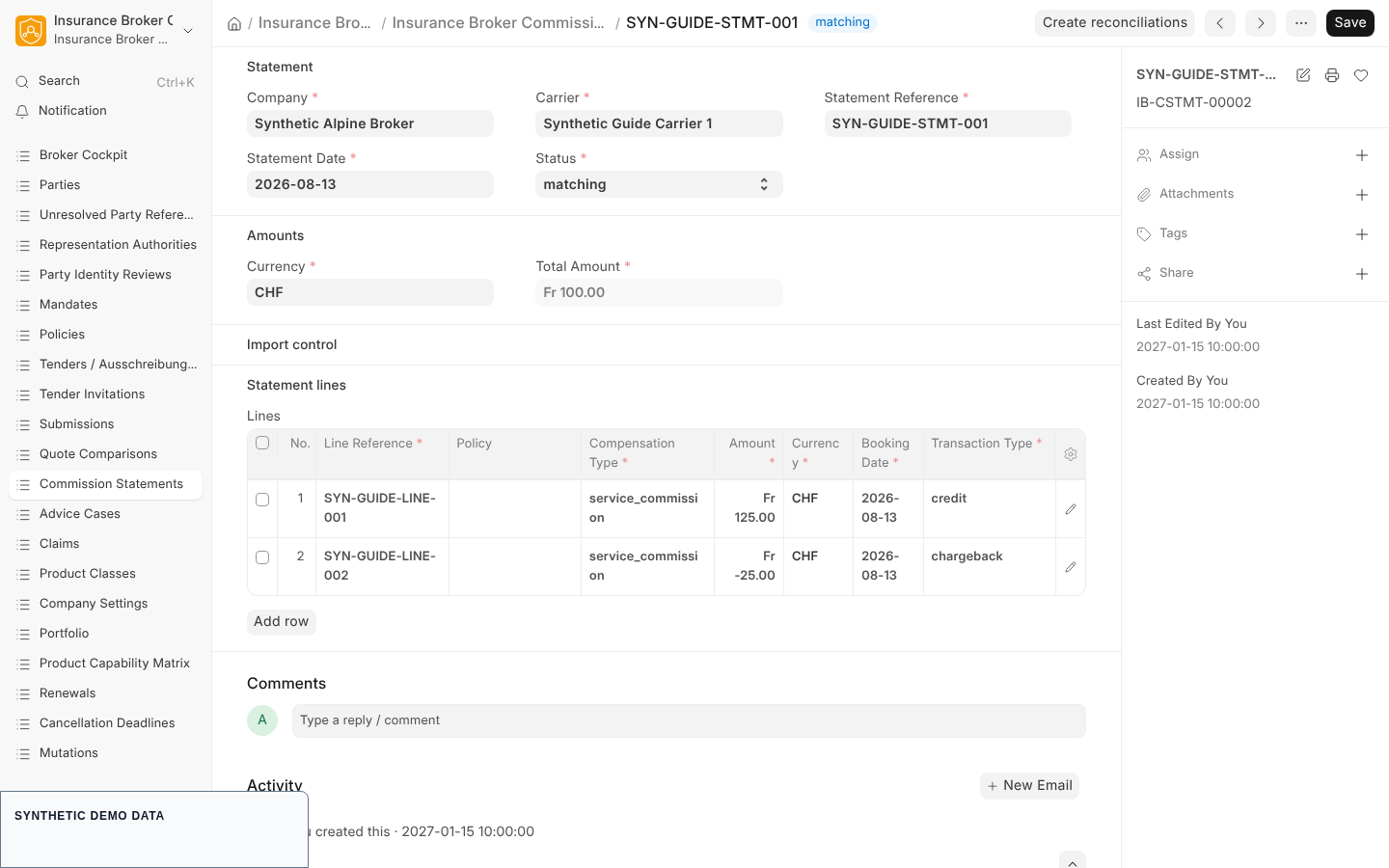
- The page opens the new Insurance Broker Commission Statement. It is named by the series
IB-CSTMT-followed by a five digit number, and its status ismatching. Its Total Amount, Source Digest, and import control fields are filled by the system and read-only.
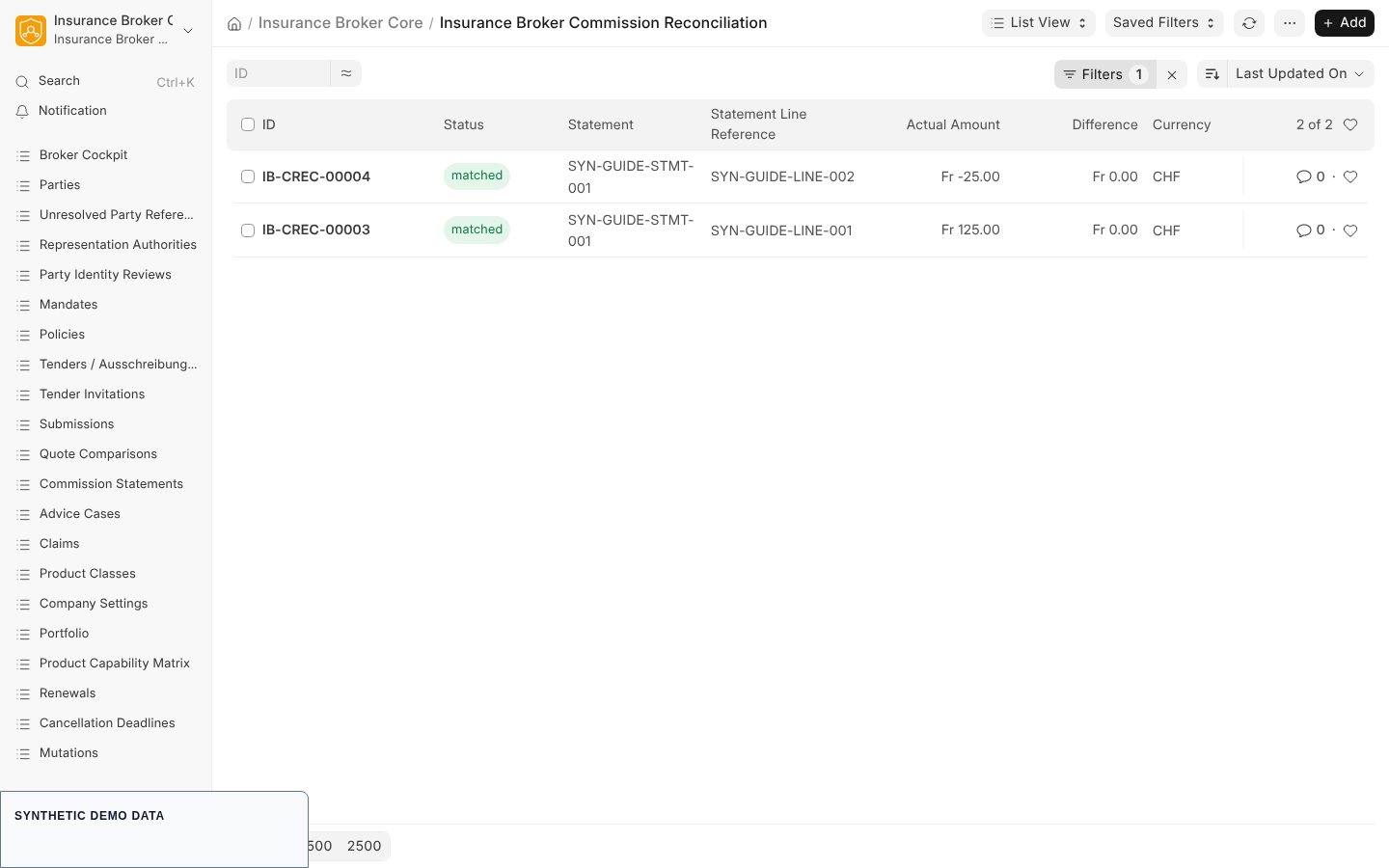
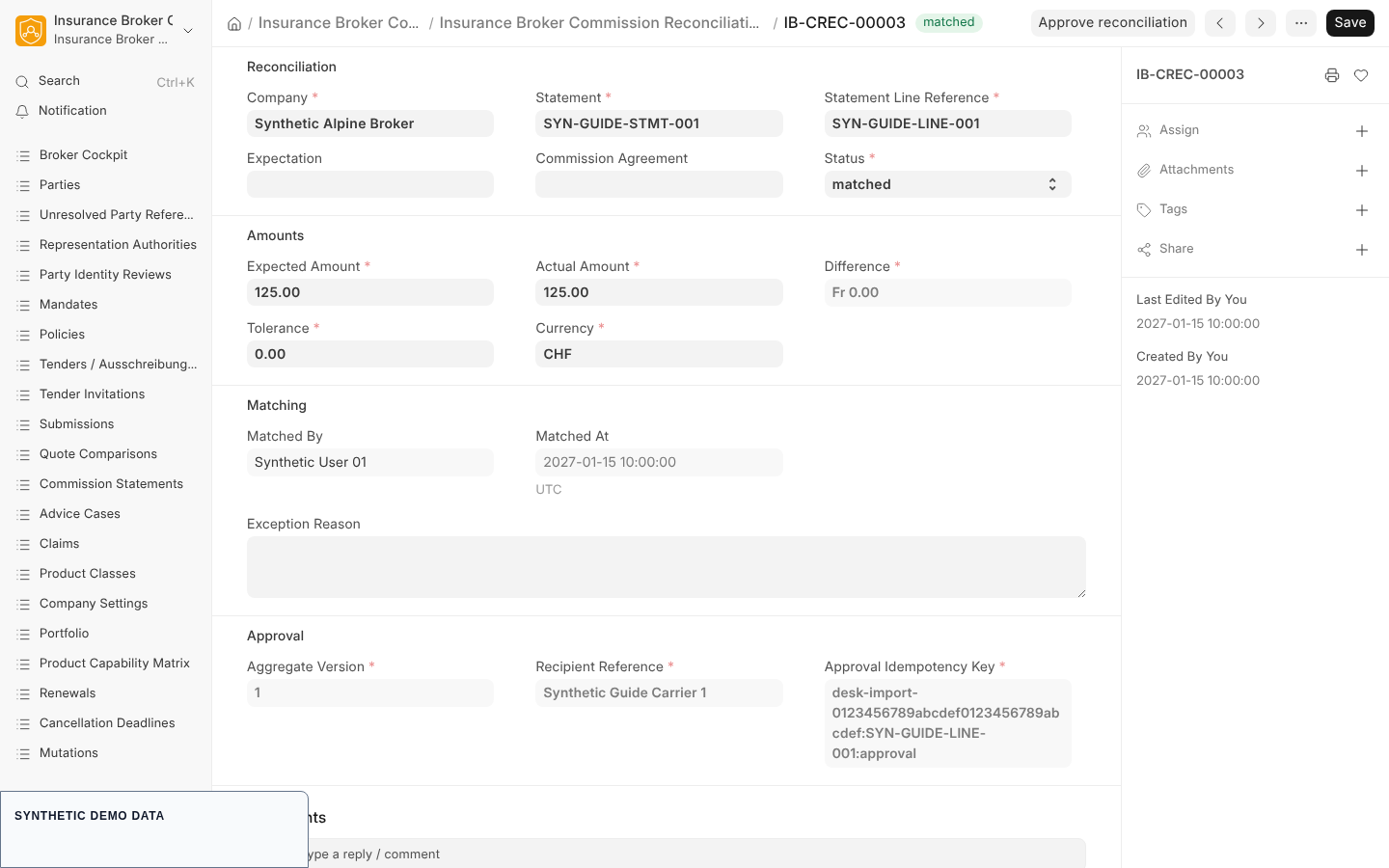
The import creates one Insurance Broker Commission Reconciliation per statement line (series IB-CREC-). Each starts in status matched, with Expected Amount equal to Actual Amount, Difference 0, Tolerance 0, and the importing user recorded in Matched By.
Steps: create missing reconciliations
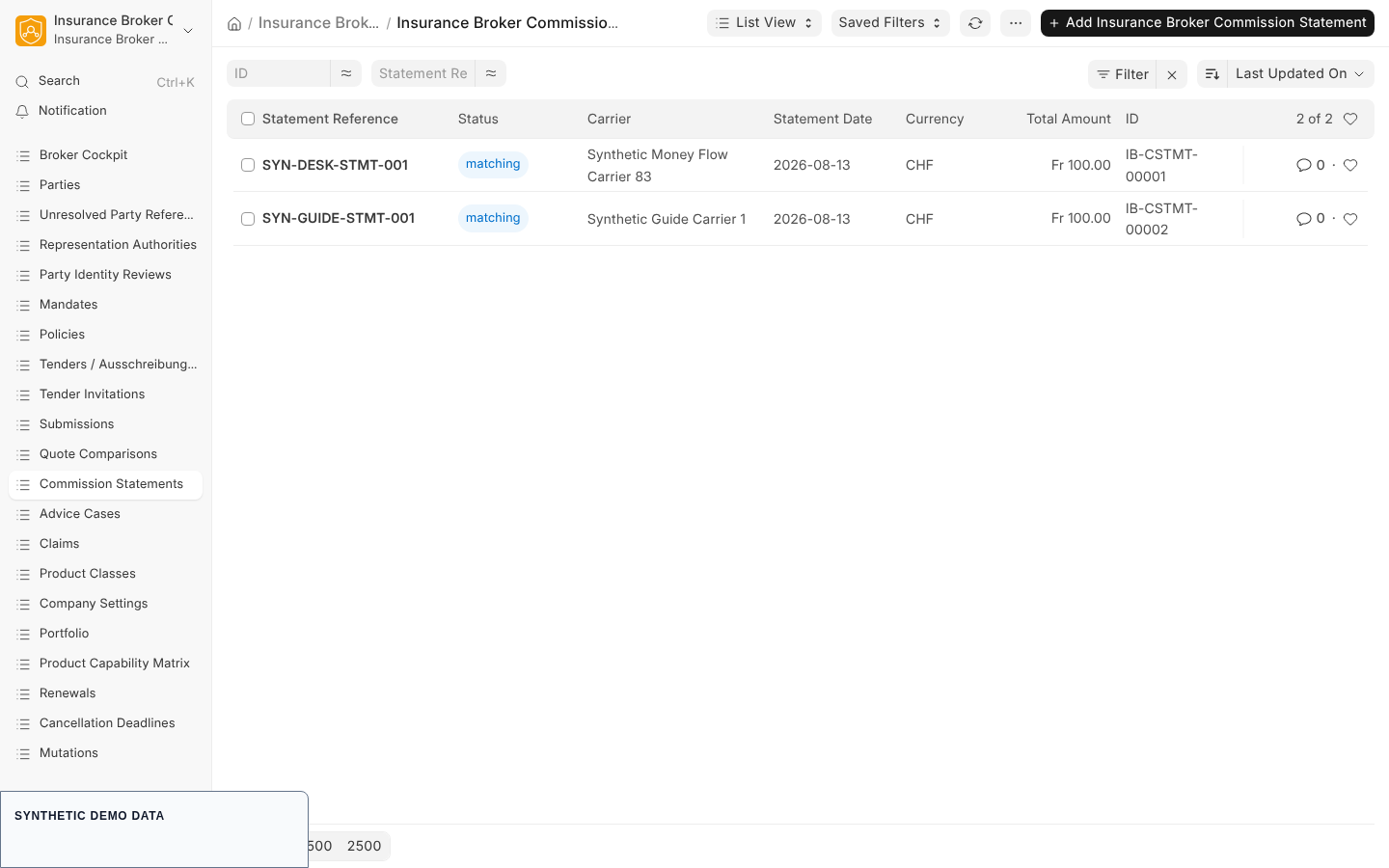
If a statement is in status imported or matching, the form shows the Create reconciliations button.
- Open the Insurance Broker Commission Statement.
- Click Create reconciliations. The action only creates reconciliations for lines that have none yet, so it can be repeated.
- The statement status becomes
reconciled, a message "Reconciliations are ready." appears, and the list of reconciliations for that statement opens.
The action stops with IBC-DESK-STATEMENT-STATE-001 for any other statement status and with IBC-DESK-RECONCILIATION-001 when the statement has no lines.
Steps: approve a reconciliation (four eyes)
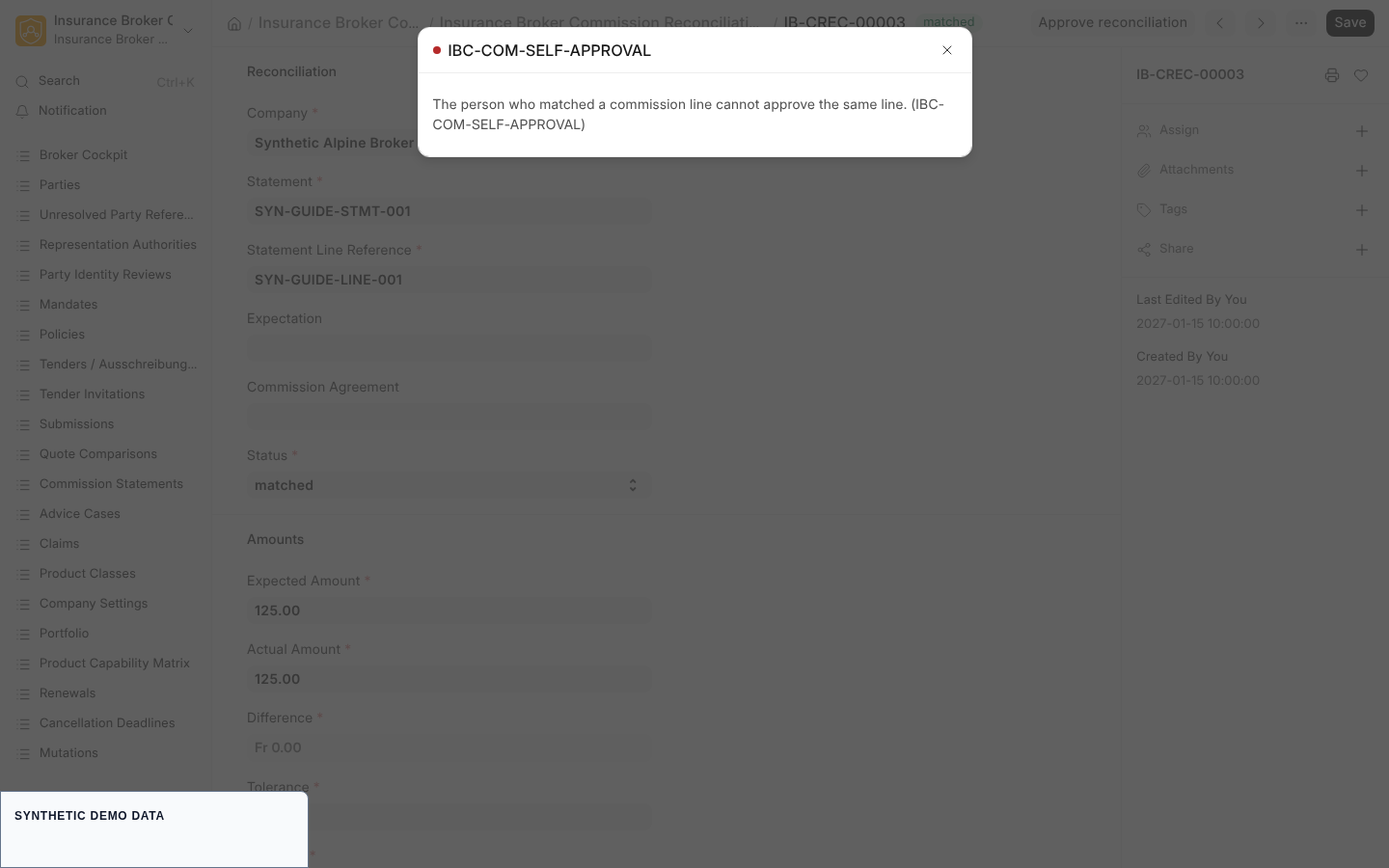
- Sign in as a different user than the one who matched the line, holding
Insurance Broker Accounting Approver. - Open the Insurance Broker Commission Reconciliation. Check Statement, Statement Line Reference, Expected Amount, Actual Amount, Currency, and Recipient Reference. The Matching section shows Matched By and Matched At.
- Click Approve reconciliation. The button appears only while the status is
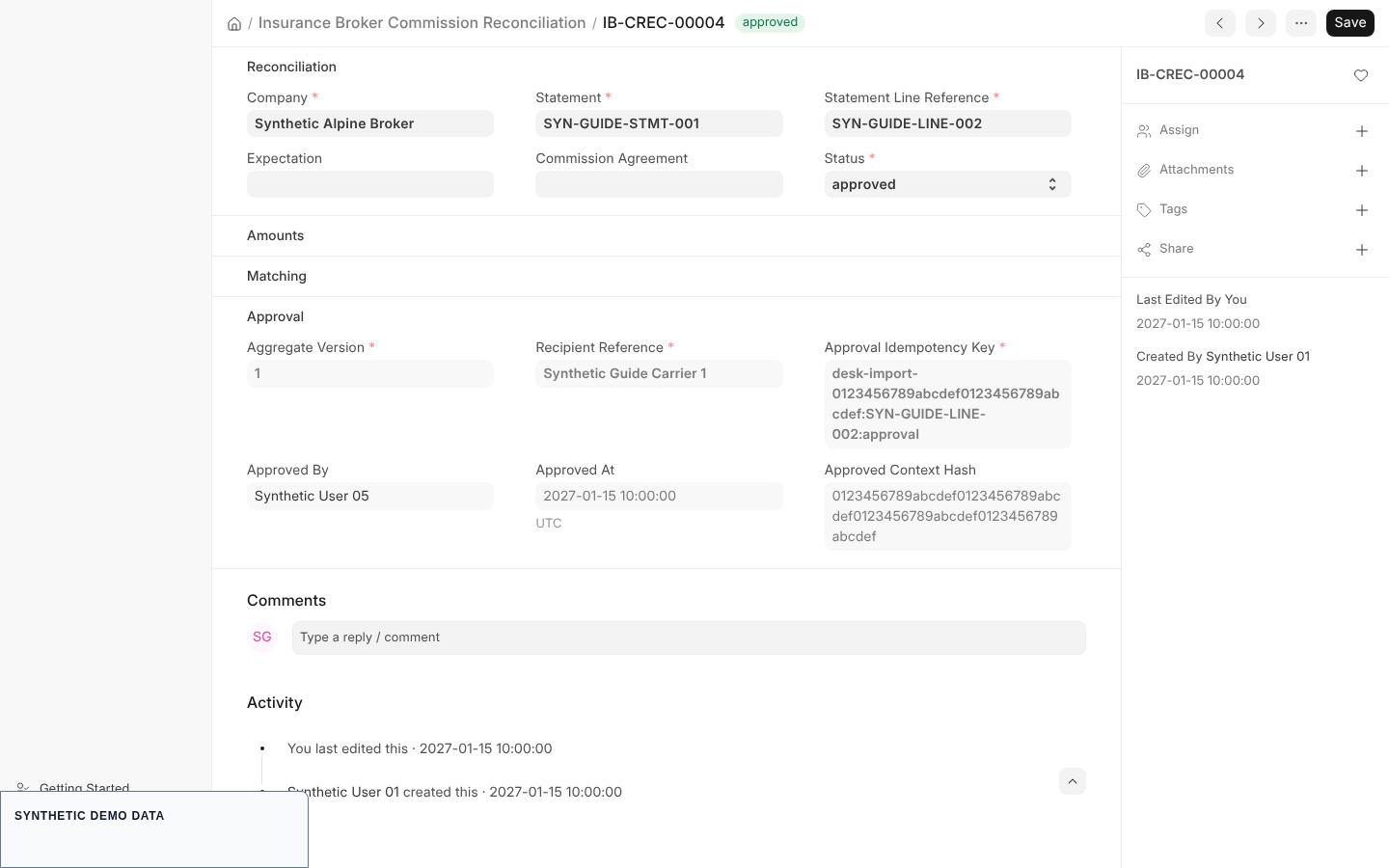
matched. - The form reloads. Status is
approved, and the Approval section shows Approved By, Approved At, Approved Context Hash, and the read-only Approval Proof. The message "Reconciliation approved." confirms it. If the page cannot refresh, it shows a message that the approval was recorded and asks you to refresh the page.
Repeat for every line. A reconciliation that is already approved keeps its approval; a repeated identical request returns the same result, and a different approval for the same record is refused with IBC-COMMAND-ALREADY-APPROVED-001.
What the system checks
| Check | Result |
|---|---|
| The approver is the person who matched the line | IBC-COM-SELF-APPROVAL: "The person who matched a commission line cannot approve the same line." The demo journey script in the repository (scripts/ui/desk_user_journey.mjs) exercises exactly this block. |
| The approver lacks the approver role | IBC-COM-APPROVER-ROLE-001 |
| The approval was not created through the Approve action | IBC-COM-APPROVAL-PROOF-001 |
| The approval belongs to another user | IBC-COM-APPROVER-PRINCIPAL-001 |
| The reconciliation changed after the form was loaded | IBC-COMMAND-REVISION-CONFLICT-001 or IBC-COMMAND-CONTEXT-001 |
| The approval proof was used before | IBC-APPROVAL-REPLAY-001 |
| The approval expired or was revoked | IBC-APPROVAL-EXPIRED-001, IBC-APPROVAL-REVOKED-001 |
| Break-glass access is used to approve | IBC-APPROVAL-BREAK-GLASS-001 |
| Role missing for the whole action | IBC-COMMAND-AUTH-001: "You do not have the role required for this action." |
The approval binds the statement, line, expected and actual amount, difference, currency, tolerance, and recipient into a context hash and is consumed once. Any change after approval requires a new approval. The verifier scripts/verify_approval_money.py --check covers the binding fields and the money rules.
Posting plan: draft only
The Insurance Broker Posting Plan records which statement, strategy admission, and Accounting Party Mapping a posting belongs to. Its statuses are draft, awaiting_approval, approved, applied, and revoked.
- The default accounting strategy is
None. Only an explicitly admitted strategy, set up as described in the accounting admission guide, allows a document to be created, and that document stays a draft. - The server function
insurance_broker_core.api.money_flow.create_posting_draftis the only code path that creates a Posting Plan and a draft Sales Invoice. It is not wired to a Desk button; no Desk workflow for it is evidenced. It requiresInsurance Broker AdministratororInsurance Broker Accounting Approver, an approved reconciliation for every statement line, a validated Draft Sales Invoice strategy admission, and an applicable Accounting Party Mapping. - The Company Settings toggle contract lists the accounting draft posting setting as not wired.
Verify the default with python scripts/verify_commission_accounting.py --check.
Storno, chargeback, and reserve
Chargebacks and reserves are recorded as data, not as automatic bookings.
- A statement line with Transaction Type
chargeback,reserve_withheld, orreserve_releaseis imported like any other line. - The Insurance Broker Commission Liability DocType holds gross commission, initial and remaining reserve, and a status (
active,released,charged_back,closed). The Insurance Broker Chargeback DocType holds liability, statement, amount, reason code, source reference, and a status (recorded,reconciled,disputed,approved). Both are available as forms; no dedicated Desk button for them is evidenced. - The Reserve Chargeback report lists liabilities with gross commission, initial reserve, remaining reserve, chargeback totals, liability end, and status for one company.
Reports for control
Each report is a script report and requires a company filter value; without one the server stops with "Select a company before running this report." Commission Expectations and Reserve Chargeback define a required Company filter field on screen.
| Report | What it shows |
|---|---|
| Commission Expectations | Expected amount, received amount, and variance per commission expectation, with a bar chart of expected against received |
| Reconciliation | Reconciliations with status, expected, actual, and difference amounts, tolerance, and exception reason (up to 200 rows) |
| Reserve Chargeback | Reserve and chargeback position per liability |
The Commissions workspace offers shortcuts to the statement list and to these three reports. A separate Commission Variance report is not part of the shipped reports; use the Variance column of Commission Expectations.
Current limits
- The Desk offers statement import and reconciliation approval. Posting plan creation, chargeback entry, and reserve entry are not Desk workflows.
- The import creates reconciliations with Expected Amount equal to Actual Amount. Matching against commission expectations and recording variances or exceptions is not part of the Desk import.
- Direct carrier collection is the only collection model in the commission DocTypes.
Capability status
The capability matrix contract uses model_only as default status and its validated_claims list is empty. For the process commission_automation, the special classes Fonds and Diverse are blocked, and the KVG class is manual_only. The capability claims rule is that only validated claims may be asserted publicly; none are recorded.