Parties
A party is any person or organisation the broker deals with: a customer, a minor, an advisor, a carrier contact, or an unknown third party. In Insurance Broker Core every party has one Insurance Broker Party Identity record. Mandates, policies, advice cases, and claims point to this record. It sits next to ERPNext master data: it may link to a source record (for example an ERPNext Customer) but it does not replace it. See Core domains for the ownership rules.
Who does this
| Task | Roles that may do it |
|---|---|
| Create and edit a party identity | Insurance Broker Administrator, Insurance Broker Operations |
| Create and edit a Company Party Scope | Insurance Broker Administrator, Insurance Broker Compliance |
| Read parties | additionally Insurance Broker Auditor and Insurance Broker Read Only; Insurance Broker Compliance reads party identities |
Operations users can create a party identity but cannot create its Company Party Scope. Plan for an administrator or a compliance user to add the scope. See Roles and access.
Before you start
- Your user holds one of the roles above and, if you are not an administrator, a Company user permission for the company.
- You know the subject kind of the party. For a minor, the legal representative must already exist as a party identity.
- If the party corresponds to an ERPNext record, you know its document type and name.
Steps
1. Open the list and create the record
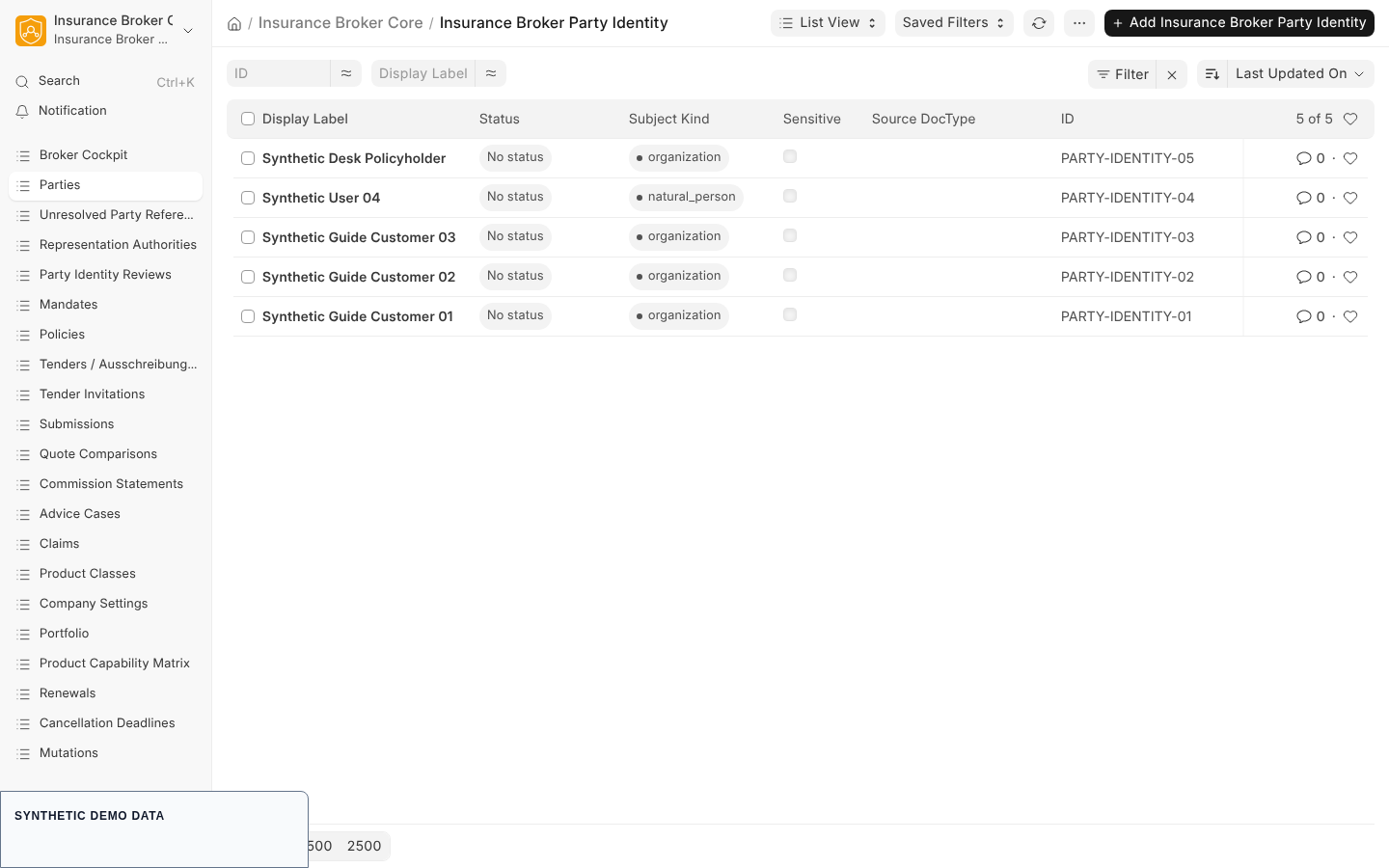
In the Insurance Broker workspace choose Parties (the list of Insurance Broker Party Identity), then create a new record. The list shows the columns Subject Kind, Display Label, Sensitive, and Source DocType.
2. Fill the Identity section
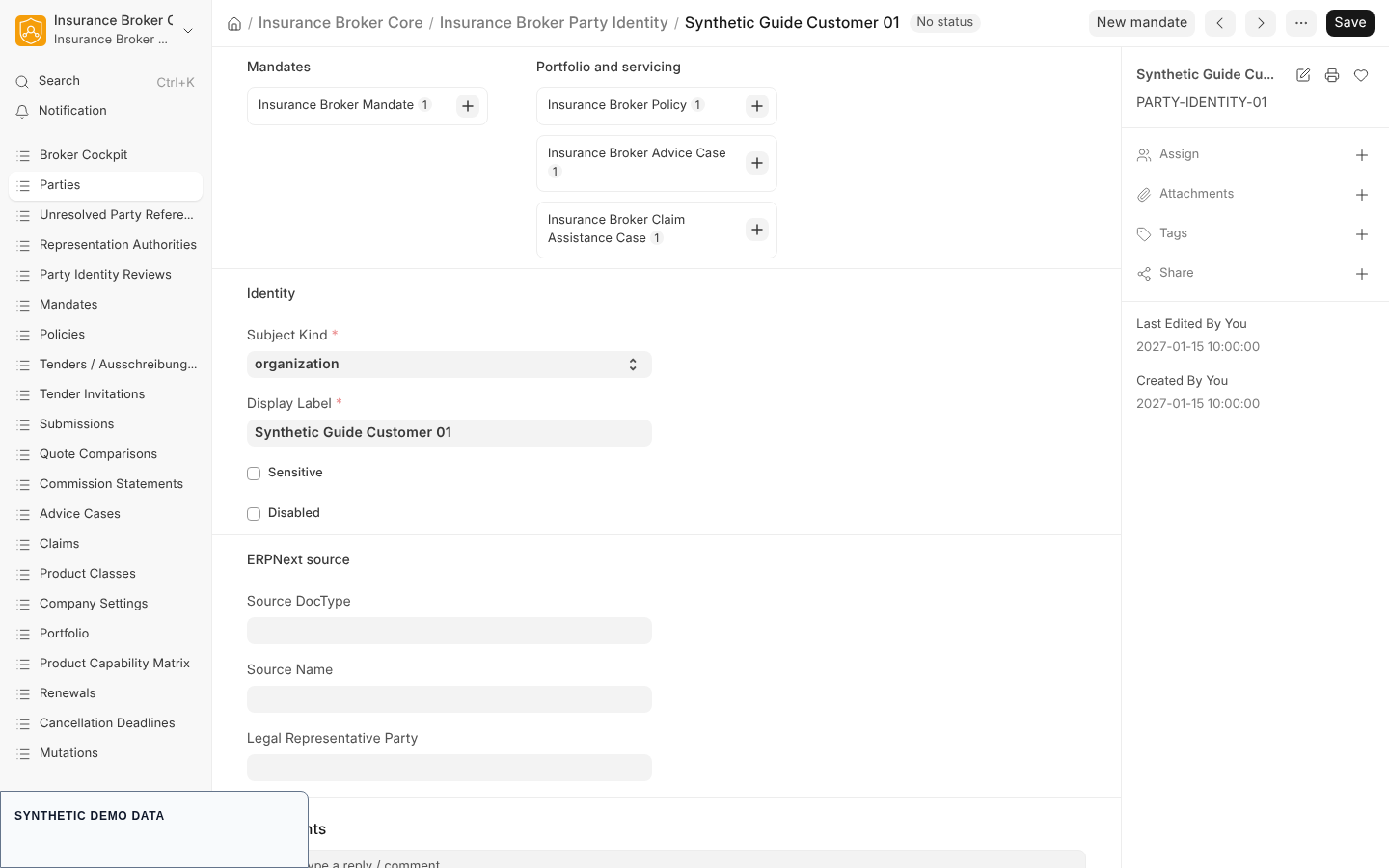
| Field | Type | Required | Meaning |
|---|---|---|---|
| Subject Kind | Select | yes | one of organization, natural_person, minor, unknown_third_party |
| Display Label | Data | yes | the name shown in lists and link fields; it is the title of the record |
| Sensitive | Check | no | marks the party as sensitive; default off |
| Disabled | Check | no | marks the party as disabled; default off |
Use a synthetic or neutral label in demonstration data; the label is shown in the cockpit lists.
3. Fill the ERPNext source section
| Field | Type | Required | Meaning |
|---|---|---|---|
| Source DocType | Link to DocType | no | the ERPNext document type of the source record |
| Source Name | Dynamic Link | no | the name of the source record, resolved through Source DocType |
| Legal Representative Party | Link to Insurance Broker Party Identity | only for minor | the party that represents the minor |
4. Save
Save the record. The record identifier is generated by the app and is not meant to be typed or read; people work with the Display Label. The form keeps a version history (track changes is on).
5. Bind the party to a company
A party identity carries no company field. Its company comes from Insurance Broker Company Party Scope records, which are what company-restricted users are checked against. Create one scope record per company:
| Field | Type | Required | Meaning |
|---|---|---|---|
| Company | Link to Company | yes | the company the party is bound to |
| Party Identity | Link | yes | the party identity from step 4 |
| Valid From | Date | yes | start of the binding |
| Valid Until | Date | no | end of the binding |
| Authority Scope | JSON | yes | the scope of the binding as a JSON object |
| Evidence Reference | Data | no | reference to the supporting evidence |
A company-restricted user sees a party identity only if a scope record links it to one of that user's companies. Without a scope record the party is not visible to such users.
6. Start a mandate from the party
On a saved party identity the form shows the button New mandate. It opens a new Insurance Broker Mandate with Primary Party already filled in. The party form also lists connected records under Mandates and Portfolio and servicing (policies, advice cases, and claim assistance cases). Continue with Mandates.
What the system checks
| Rule | Message | Code |
|---|---|---|
A party of kind minor needs a legal representative | Add a legal representative for a minor. | IBC-PARTY-MINOR-001 |
| A source name needs a source document type | Select the ERPNext document type when a source record is linked. | IBC-PARTY-SOURCE-001 |
| A Company Party Scope needs a company | Select a company before saving this record. | IBC-CONTROLLER-COMPANY-001 |
Errors are shown with the code in parentheses after the message.
Related records
These records hang off a party identity and have their own forms; this guide does not describe them in detail:
- Insurance Broker Party Alias: records an alternative name or identifier with a validity period and an optional successor party. A party cannot succeed itself, and a successor chain may not contain a cycle.
- Insurance Broker Party Role: a time-bound role of a party for a company (for example policyholder, claimant, advisor, or carrier), with an optional link to a mandate.
- Insurance Broker Party Identity Review, Insurance Broker Unresolved Party Reference, and Insurance Broker Representation Authority: shown in the sidebar as Party Identity Reviews, Unresolved Party References, and Representation Authorities. They require that the party is already bound to the company through a Company Party Scope.
What this page does not cover
- Merging duplicate parties and the import of parties from other systems; see Migration and import.
- Privacy requests about a party; see Privacy, evidence and documents.
- The Authority Scope of a Company Party Scope has no documented key set in the Desk form beyond being a required JSON object.