Prepare and invite
Status: Insurance Broker Core version 1.0.0 is repo-ready; Tender commands are API-only and nothing is sent to carriers.
This page covers the first part of the tender lifecycle: creating the tender and one invitation per carrier in the Desk, and moving the tender from draft to responses_open with API commands. Inviting a carrier here means recording an invitation. No message leaves the system.
Today (API)
Who does this
Insurance Broker Advisor creates and edits tenders and runs the commands on this page. Insurance Broker Operations can also create and edit tender invitations. Insurance Broker Administrator has the same create and write access on both DocTypes.
Before you start
The tender form checks the first four items when you save it. These records must exist and must fit together. The capability admission is not checked by the tender form; the API commands and the submission that an answer creates check it.
| Prerequisite | What the check requires | Code |
|---|---|---|
| Active mandate | The linked Insurance Broker Mandate has status active, its valid-from date is not in the future, its valid-until date (if set) is not in the past, and company and primary party match the tender. | IBC-TENDER-001 |
| Advisor eligibility | The linked Insurance Broker Advisor Eligibility Snapshot is marked eligible, belongs to the responsible advisor, and covers the line of business of the tender. | IBC-TENDER-002 |
| Advice case | The linked Insurance Broker Advice Case has the same company and customer, and its pinned mandate version and regulatory context equal those on the tender. | IBC-TENDER-006 |
| Regulatory context | A linked Insurance Broker Regulatory Context, the same one the advice case pins. | IBC-TENDER-006 |
| Capability admission | A valid Insurance Broker Capability Admission for the company, country, and product class for the process comparison. See Capability status below. | IBC-CAP-NOT-ADMITTED-001, IBC-CAP-BLOCKED-001 |
The same tender checks run again before every command in the API, so a mandate that has ended since you created the tender blocks the next command. How mandates and advice cases are created is described in Mandates and Advice and quotes.
Steps: create the tender
- Open the workspace Advice/Quotes and click
Tenders / Ausschreibungen. - Create a new Insurance Broker Tender. The name is assigned from the series
IB-TENDER-plus five digits. - Fill the required fields.
- Save. The form runs the first four checks above.
| Field | Type | Required | Meaning |
|---|---|---|---|
| Company | link to Company | Yes | The company scope. |
| Customer | link to Insurance Broker Party Identity | Yes | The customer party. |
| Advice Case | link | Yes | The advice case the tender belongs to. |
| Mandate | link | Yes | The active mandate. |
| Regulatory Context | link | Yes | The pinned regulatory context. |
| Product Class | link | Yes | The product class; the capability check uses it. |
| Line of Business | link | Yes | Compared with the advisor eligibility. |
| Risk Objects | table of Insurance Broker Risk Object links | Yes | The risks to be quoted. |
| Response Deadline | date and time | Yes | The latest time for answers. |
| Target Start | date | Yes | The intended start. |
| Responsible Advisor | link to Insurance Broker Advisor Profile | Yes | Must match the eligibility snapshot. |
| Advisor Eligibility | link to the snapshot | Yes | Checked as above. |
| Status | choice | Yes | Starts as draft; changes only through commands. |
| Aggregate Version | whole number | Yes | Read-only counter; you need it as expected_version. |
The form also has Quote Comparison, Customer Decision, Remuneration Disclosure, and Cancellation Reason fields. They are filled later; see the next pages.
Steps: create the invitations
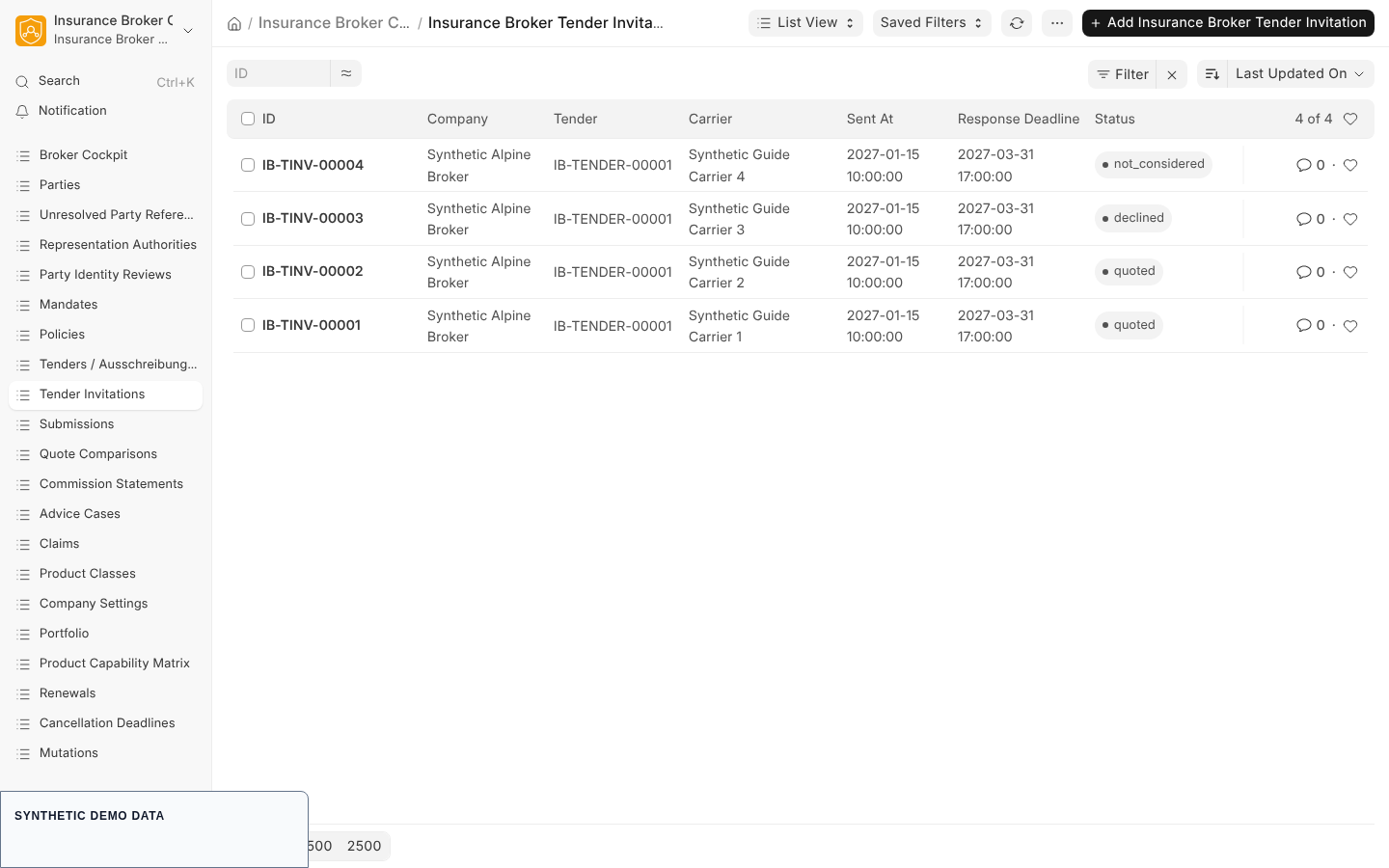
API-only synthetic list: an invitation is recorded data, not proof of external delivery.
- In the sidebar click Tender Invitations and create an Insurance Broker Tender Invitation. The name uses the series
IB-TINV-plus five digits. - Fill Company, Tender, Carrier (a Supplier record), and Response Deadline. Status starts as
invited. - Save. Repeat once for every carrier.
| Rule | Code |
|---|---|
| The invitation company must equal the tender company. | IBC-TENDER-005 |
| A carrier can be invited only once per tender. | IBC-TENDER-005 |
| The invitation deadline must not be later than the tender deadline. | IBC-TENDER-005 |
Status declined needs a decline reason. | IBC-TENDER-005 |
Status quoted needs a linked submission, and the submission must match the tender context, carrier, and product class. | IBC-TENDER-005 |
You can show a failing message by saving the form with a rule broken, for example a second invitation for the same carrier.
Invitation status
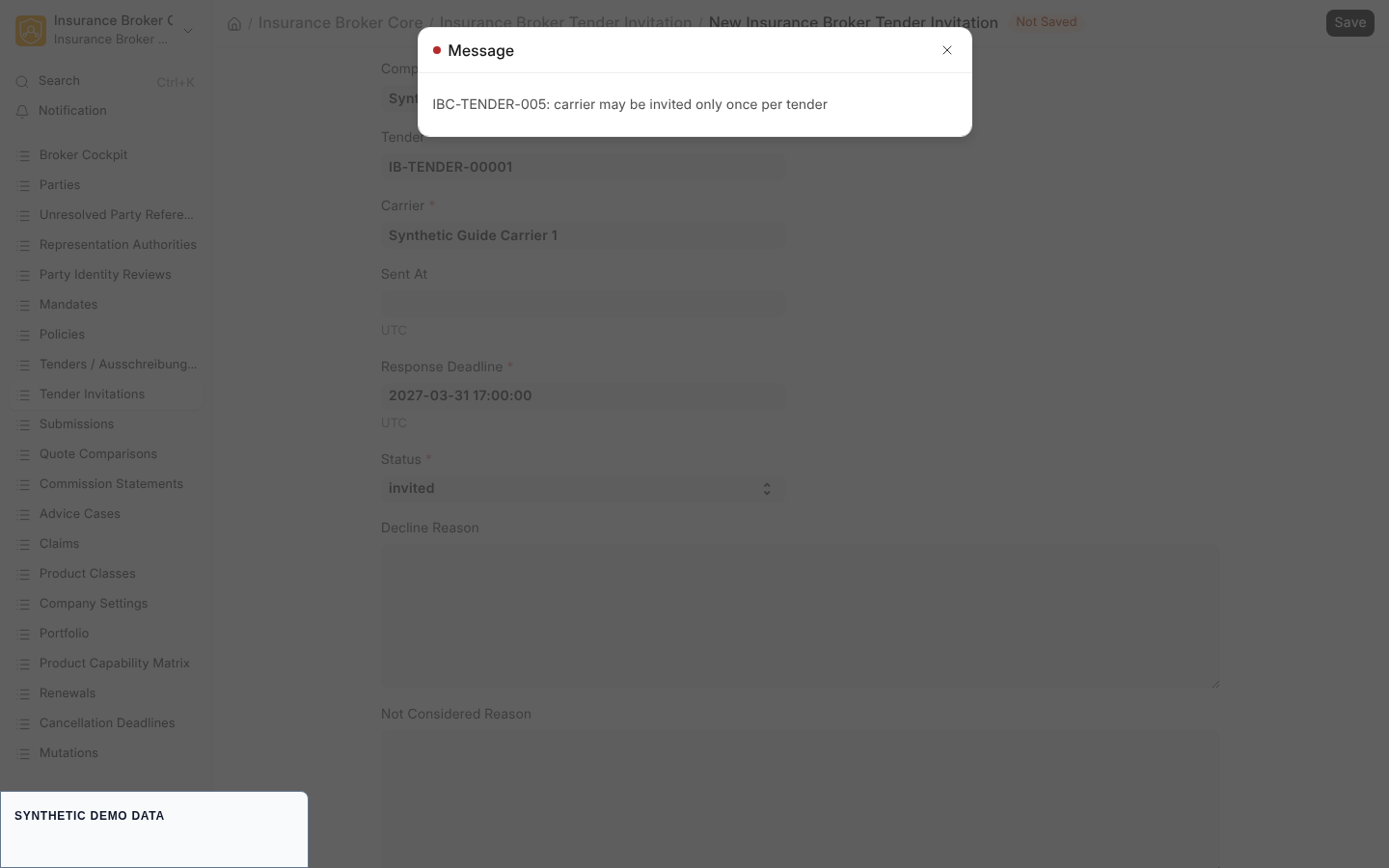
API-only synthetic form: the submission link is recorded data; no carrier message is sent by this system.
| Status | How it is set |
|---|---|
invited | Default of a new invitation. |
declined | By the API command record_decline. |
quoted | By the API command record_quote. |
not_considered | By the API command mark_invitation_not_considered. |
no_response | No command sets it, and no rule in the code uses it. |
withdrawn | No command sets it, and no rule in the code uses it. |
The three commands are described in Responses and comparison. A tender where nobody answers is ended on tender level with mark_no_result, see Recommendation and decision.
Steps: move the tender with the API
Each of the three commands is one call of insurance_broker_core.api.tender.execute_tender_command with the command transition_tender. The payload fields are company, tender, command, and expected_version, all required, as described in Tender states and commands. After each call, reload the tender form and read the new Status and Aggregate Version before the next call.
| Command | Required fields | Role | Effect |
|---|---|---|---|
prepare | company, tender, command, expected_version | Insurance Broker Advisor | draft to preparing. |
send_invitations | same four fields | Insurance Broker Advisor | preparing to invitations_sent. A status change only; no message is sent and Sent At stays empty. |
open_responses | same four fields | Insurance Broker Advisor | invitations_sent to responses_open. |
Before each of these commands the API checks the role, the company scope, the capability admission, and the tender checks from the prerequisites table. The tender must be in the state the command expects, otherwise the answer is IBC-TENDER-COMMAND-TRANSITION-001.
What the system checks
| Code | Meaning |
|---|---|
IBC-TENDER-001 | No active mandate, or the mandate does not fit the tender. |
IBC-TENDER-002 | The responsible advisor is not eligible, or the eligibility does not cover the line of business. |
IBC-TENDER-005 | An invitation rule above was broken. |
IBC-TENDER-006 | The advice case does not match the tender. |
IBC-TENDER-STATUS-COMMAND-001 | A form save changed the tender Status without a command. |
IBC-TENDER-COMMAND-COUNTRY-001 | The company settings have no country, so the capability check cannot run. |
IBC-CAP-NOT-ADMITTED-001 | No valid capability admission exists for company, product class, and process. |
IBC-CAP-BLOCKED-001 | The product class is blocked or model-only for the process. |
IBC-STATE-VERSION-001 | The expected version is stale; reload the form and use the current Aggregate Version. |
Capability status
The capability matrix lists the process quote_comparison with default status model_only and no validated claims. The tender check uses the process name comparison. Only validated capabilities may be asserted publicly, and this page asserts none.
Related pages
Planned Desk workflow
A Desk workflow for tender commands is planned. This page does not describe it and gives no date and no scope.