Tender overview
Status: Insurance Broker Core version 1.0.0 is repo-ready; Tender commands are API-only and nothing is sent to carriers.
A tender is a structured request for the same customer need that the broker puts to several carriers (the sending itself happens outside the system), followed by a comparison of what comes back. In Insurance Broker Core the tender is the record that holds the customer, the advice case, the mandate, the risk objects, and the response deadline, plus one invitation per carrier. This page explains the parts and the limits. The next pages walk through the working steps.
Today (API)
Who does this
| Role | What it does with a tender |
|---|---|
Insurance Broker Advisor | Creates and edits tenders and invitations. Runs every command except closing. |
Insurance Broker Operations | Named by the state machine as the role that closes a decided tender. Can create and edit tender invitations. |
Insurance Broker Compliance | Can read tenders. The state machine names this role for the legal review command; see Tender states and commands for how the API differs. |
Insurance Broker Administrator | Full create and write access to tenders and invitations. |
Insurance Broker Auditor and Insurance Broker Read Only | Read access to tenders, invitations, and quote comparisons. |
What a tender consists of
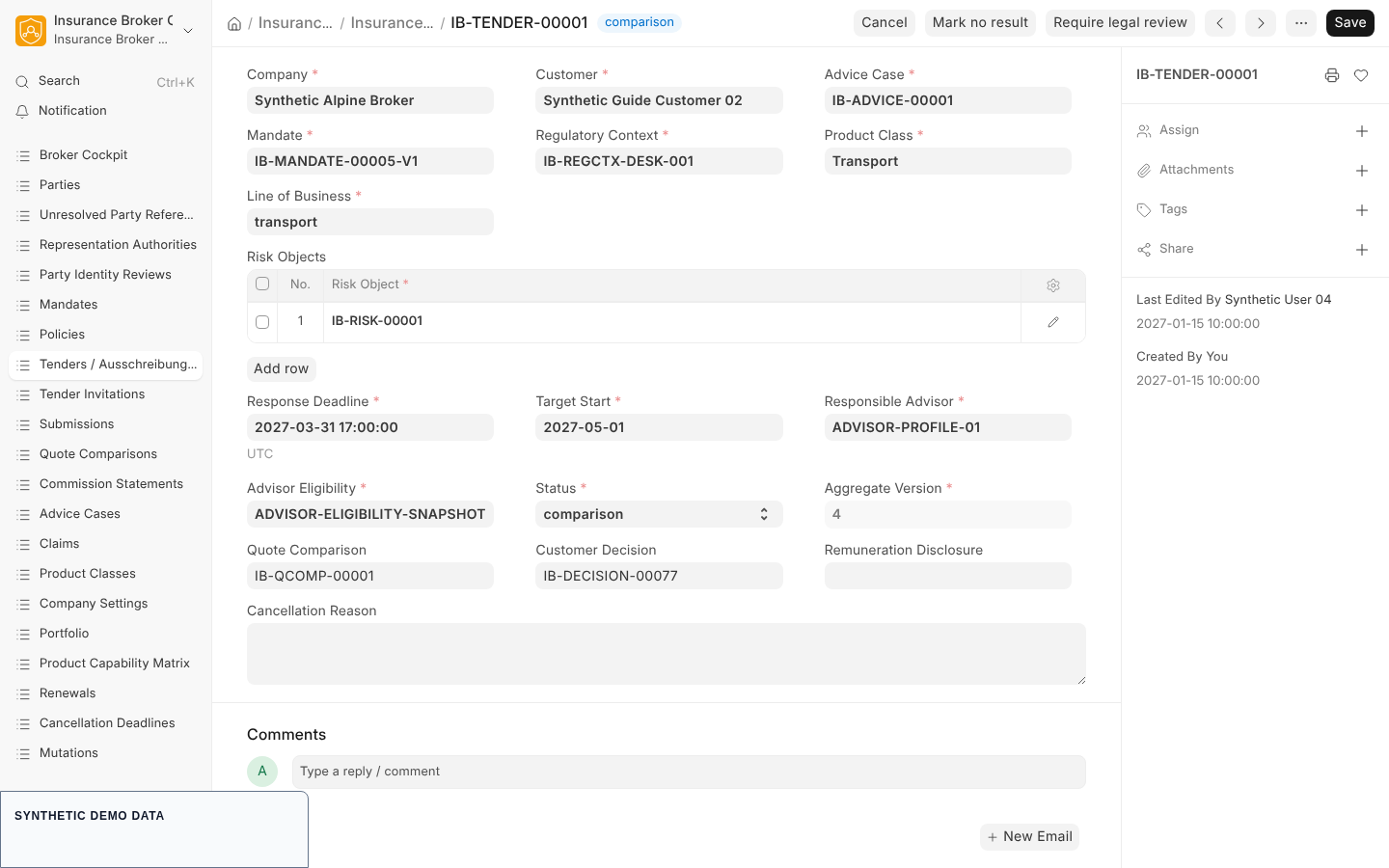
API-only synthetic form: the Desk has no tender-command buttons; this is not an external delivery or carrier-communication proof.
| Record | DocType | Naming series |
|---|---|---|
| Tender | Insurance Broker Tender | IB-TENDER- plus five digits |
| Invitation, one per carrier | Insurance Broker Tender Invitation | IB-TINV- plus five digits |
| Risk object rows inside the tender | Insurance Broker Tender Risk Object (child table) | none |
| Carrier answer | Insurance Broker Submission and Insurance Broker Quote | IB-SUB- and IB-QUOTE-, each plus five digits |
| Comparison | Insurance Broker Quote Comparison | IB-QCOMP- plus five digits |
The direction is always from the broker to the carrier: an invitation names a carrier (a Supplier record) and the customer is the tender's customer party. The data model has no record for a tender that a carrier issues to the broker.
The eleven states
A tender has a Status field with these values: draft, preparing, invitations_sent, responses_open, comparison, recommended, decided, closed, cancelled, no_result, and legal_review_required. A new tender starts in draft. The states closed, cancelled, no_result, and legal_review_required are terminal. Status changes only through commands; saving the form with a changed status is rejected with the code IBC-TENDER-STATUS-COMMAND-001. The full table of commands is on Tender states and commands.
What the system does not do
- It does not send anything to a carrier. The command
send_invitationsonly moves the tender frompreparingtoinvitations_sent. The Sent At field of an invitation is filled when an answer is recorded, not when an invitation goes out. - It does not read carrier answers. A quote or a decline is entered by a person through the commands described in Responses and comparison.
- It does not pick a winner. The comparison lists the current received quotes and raises a warning when their coverage basis differs.
- It does not offer buttons for tender commands. The Desk has forms and lists for tenders; the commands run through the API function
insurance_broker_core.api.tender.execute_tender_command. - Two commands cannot be completed through that API today:
recommendanddecide. See Recommendation and decision.
Where to find tenders in the Desk
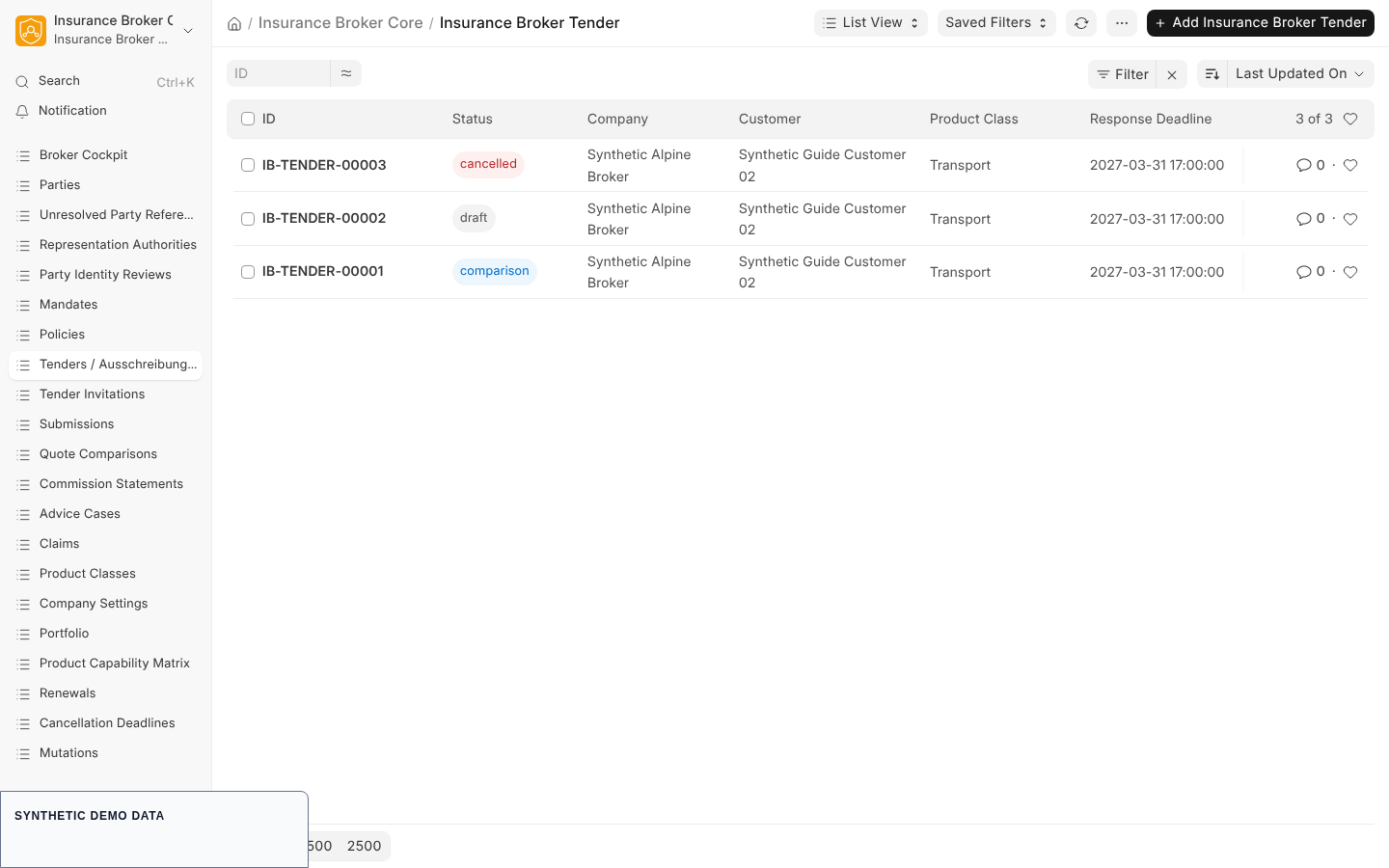
API-only synthetic record: the system does not send anything to carriers.
Open the Insurance Broker workspace named Advice/Quotes. It has cards for the tender records, and the sidebar carries these links, with exactly these labels:
| Sidebar label | Opens the list of |
|---|---|
Tenders / Ausschreibungen | Insurance Broker Tender |
| Tender Invitations | Insurance Broker Tender Invitation |
| Submissions | Insurance Broker Submission |
| Quote Comparisons | Insurance Broker Quote Comparison |
The first label is shown as written in the product, with an English part and a German part. The tender list shows company, customer or carrier, product class or tender, deadline, and status columns, as described in the repository dashboard notes. These links open the DocTypes themselves; they are not a second store.
Steps in order
- Prepare the prerequisites and create the tender and its invitations: Prepare and invite.
- Record carrier answers and build the comparison: Responses and comparison.
- Understand the closing commands and the current limits: Recommendation and decision.
Capability status
The process list in the capability matrix has the process quote_comparison, with default status model_only and an empty list of validated claims. The Tender API asks the admission check for the process named comparison; the two names differ. A tender command that requires admission is rejected when no valid Insurance Broker Capability Admission exists for the company, country, and product class, or when the admitted status is blocked or model_only. Only validated capabilities may be asserted publicly, and this page makes no such assertion.
Related pages
Planned Desk workflow
A Desk workflow for tender commands is planned. This page does not describe it and gives no date and no scope.